
Electric fence for schools & campuses
A boundary that protects without looking like a prison.
- Recommended layers
- 3
- Key risks
- 3
- Systems
- 3
A 0.5–3 km campus perimeter is divided into 80–200 m zones, with 4-wire pulse fence on walls and 2–4 beam barriers at gates and blind corners. A guard can verify an alarm within 3 minutes; pedestrian gates and after-hours access are separated from intrusion alarms.
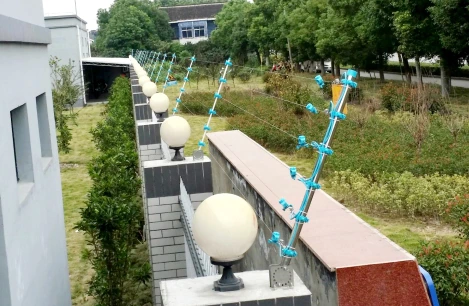
The site condition chooses the layer
Start with the places most likely to fail
Students test boundaries
A school fence is climbed for reasons that have nothing to do with security. Every legitimate shortcut becomes a nuisance alarm if the zone is not designed around actual student movement.
Public events and sports
Sports fields, event days and deliveries create temporary openings. The system needs a documented bypass procedure, not a guard who tapes over a sensor.
Appearance and safeguarding
The perimeter is seen by parents and visitors. Heavy razor wire or an industrial grid sends the wrong message. Choose a visually lighter layer and put the deterrence in signage and lighting.
Layer by layer
Layer-by-layer configuration
Boundary — tension fence
Tension fence on the rear and side boundaries where the risk is climbing and cutting, not a determined intruder. The fence carries no voltage, which simplifies safeguarding and maintenance.
Gates and fields — infrared
Infrared barriers cover service gates, equipment yards and the dark edges of sports fields. They are set above student height and aimed away from public footpaths.
Control — security office
A K7 keyboard and a simple map in the security office; the estate manager receives a weekly event summary. The aim is a response, not a wall of monitors nobody watches.
Systems used in this application
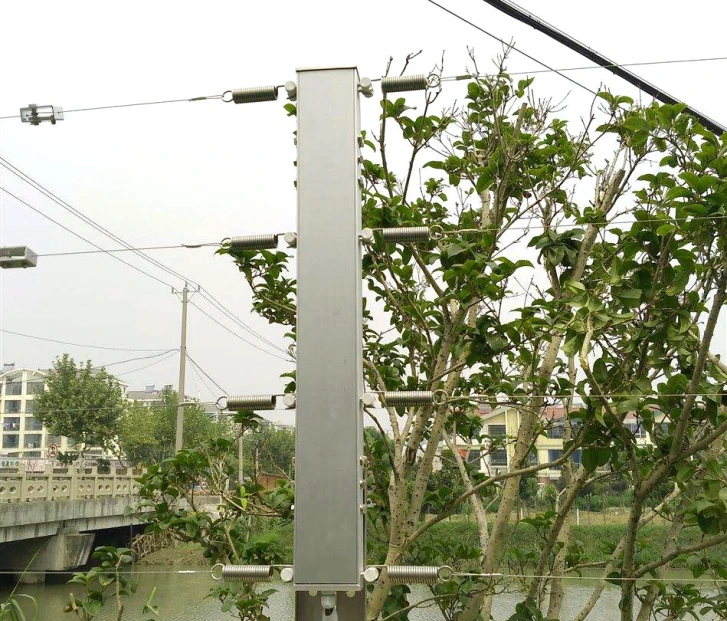
Tension fence
Fence detection · S7W / S9 / X800 / X900
Detects climbing, cutting and slackening without voltage on the fence.

Infrared barrier
Beam detection · 2 / 3 / 4-beam active infrared
The economical beam layer for short and medium spans.
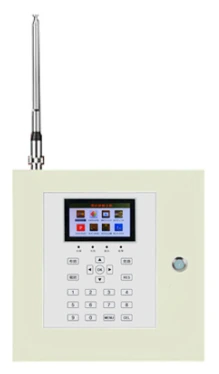
Electric fence alarm & control
Electric fence alarm · K7 / K9 / K10 hosts · touch terminal · management software
Arm, map and verify every electric fence zone from one interface.
Application questions
Is an electric fence allowed around a school?
It depends on local regulation and the school’s safeguarding policy. Many campuses prefer tension or infrared precisely because they avoid voltage on the fence. Confirm with the local education authority before specifying a pulse fence.
How do we handle after-school sports and events?
Use scheduled arm/disarm on the control host and a written bypass procedure for the affected zones. Log every bypass with a name and time; an unlogged bypass is indistinguishable from a disabled sensor.
Can cameras be linked to the fence alarms?
Yes, through the control host’s relay or network events. Point the camera at the zone, not at the whole field; a wide view that shows “something moved” is less useful than a close view of the fence line.
Plan this application
Send the site type, perimeter length and response model. We will propose a layered configuration.